To search
Softonic Rating:
Very good:8/10
License:
Evaluation
Added:
May 29, 2008
Publisher:
Website
File size:
4.0 MB
Downloads:
27
Cyril Roger

“Stay focused and get things done”

by Cyril Roger

There's a plethora a task management tools out there and it's not always easy to choose which one is best for you. What ToDo is a clean application to handle your to do lists easily.

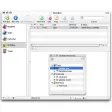
The application organizes your projects in folders, which are saved on the left side of the interface and you can create as many subtasks as needed. The tree view in the main part of the interface can be extended or collapsed and you just need to check a task that is completed. It will then appear as greyed out.

What ToDo allows you to set a due date, thanks to the calendar in the right window pane, and you can add color and bold for important tasks. What ToDo also makes it really easy to import and export todo lists at will. If you work with the Quicksilver application launcher you'll be glad to know that What ToDo integrates perfectly with it.

What it doesn't integrate with, surprisingly, is iCal. We were also disappointed not to find any search box. Although the program is easy to use, we would have liked to see a startup tutorial, so new users can learn how to create a new project.


WhatToDo is a simple task manager with a good tree view and an easy way of creating new projects and tasks.

Languages:

English

Limitations:

25 projects and actions

OS requirements for What ToDo:

  • OS: Mac OS X

Minimum requirements:

  • Processor: PPC/ Intel MHz
  • Mac OS X 10.4.9 or later
Pros
  • Clear organization
  • Integrates with Quicksilver
  • Import and export
Cons
  • No interaction with iCal
  • No search tool
  • No tutorial
Did you like this review?
5 of 7 users liked it (71%)

What ToDo Softonic Rating: 8Featured program

Softonic gives special recognition to software of exceptionally high quality. More information

From the publisher of What ToDo

What ToDo is a new task management application for MacOS X. Forget post-its stuck to the screen, no more ink scrawls on the palm of your hand — with What ToDo you'll be organized, stay focused and get more done. While it is geared towards the popular work-life management system Getting Things Done, What ToDo is designed to be flexible enough to be used for your own personal to-do system if GTD isn't your thing. To get more productive in your digital life, try What ToDo today.

What ToDo options

What ToDo Options
Softonic Rating:Very good
User Rating
Your opinion is important!

Download stats

Related

Related searches
View all

Are you the developer of What ToDo?

If your program has received a Softonic rating, feel free to use the following award badge on your site or as part of any other promotional feature you may be putting together.

What ToDo Softonic Rating

Click on the above text field to copy the necessary HTML to your clipboard and then paste it to your website. It will display your program's Softonic Rating and will link to your program page.

Any queries? Contact us if you want more info.

Close